Coding agents that get to know you.
Prokop is an open-source coding workspace where your agents keep their own memory and skills, search their earlier sessions, and learn from finished work. Use it with Claude Code, Codex, or Prokop's own runtime.
the problem
Your coding agent is smart.
Its working environment is still temporary.
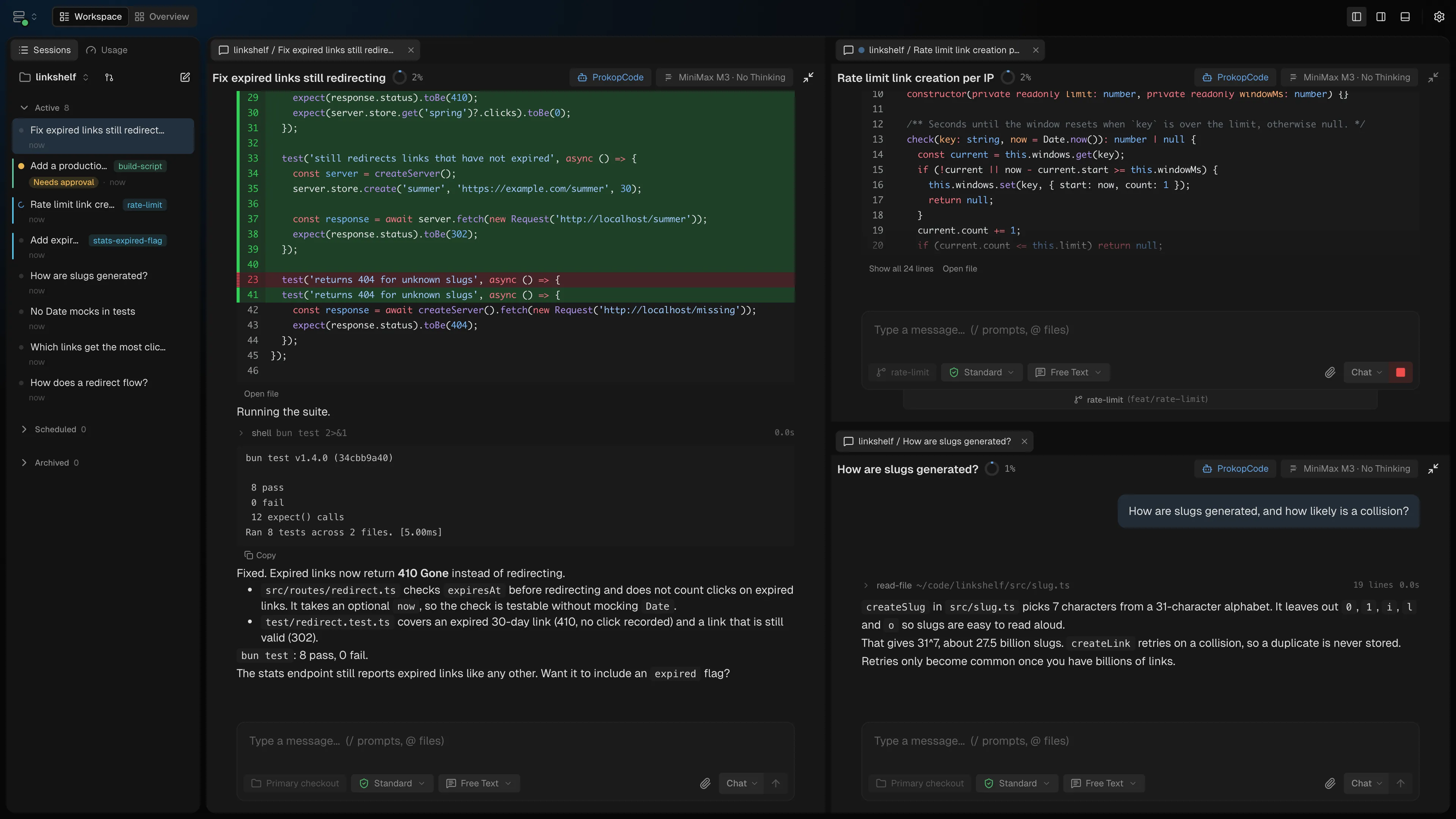
Six sessions become six windows.
Parallel work turns into terminal management. The desktop becomes the job.
Every project starts from zero.
Context lives inside one session. Close it and the decisions, fixes, and conventions evaporate.
The new session has never met you.
Re-explain your stack, your conventions, your preferences. Every time. To a capable stranger.
Remote means a chat bridge.
Check in from your phone and you get a stripped-down bot, not your actual workspace.
continuity
Stop briefing a stranger every session.
You decide what follows the agent and what stays with the project. Agents search their earlier sessions and learn from finished work, keeping what was worth keeping. Over time it feels like working with the same coworker, not a new one every session.
How you work
Your preferences and reusable ways of working.
“Start code reviews with a short summary. Link the failing test.”
How this project works
This repo's conventions, commands, and decisions.
“Use Bun for this repo. Run the smallest relevant test target first.”
Saved knowledge provides context when the corresponding memory capabilities are enabled.
Find the past decision.
Search previous sessions for the reasoning you need, instead of working it out again.
Reuse the procedure.
Keep repeatable work, such as a release checklist, in a skill the agent can use again.
Keep what was worth keeping.
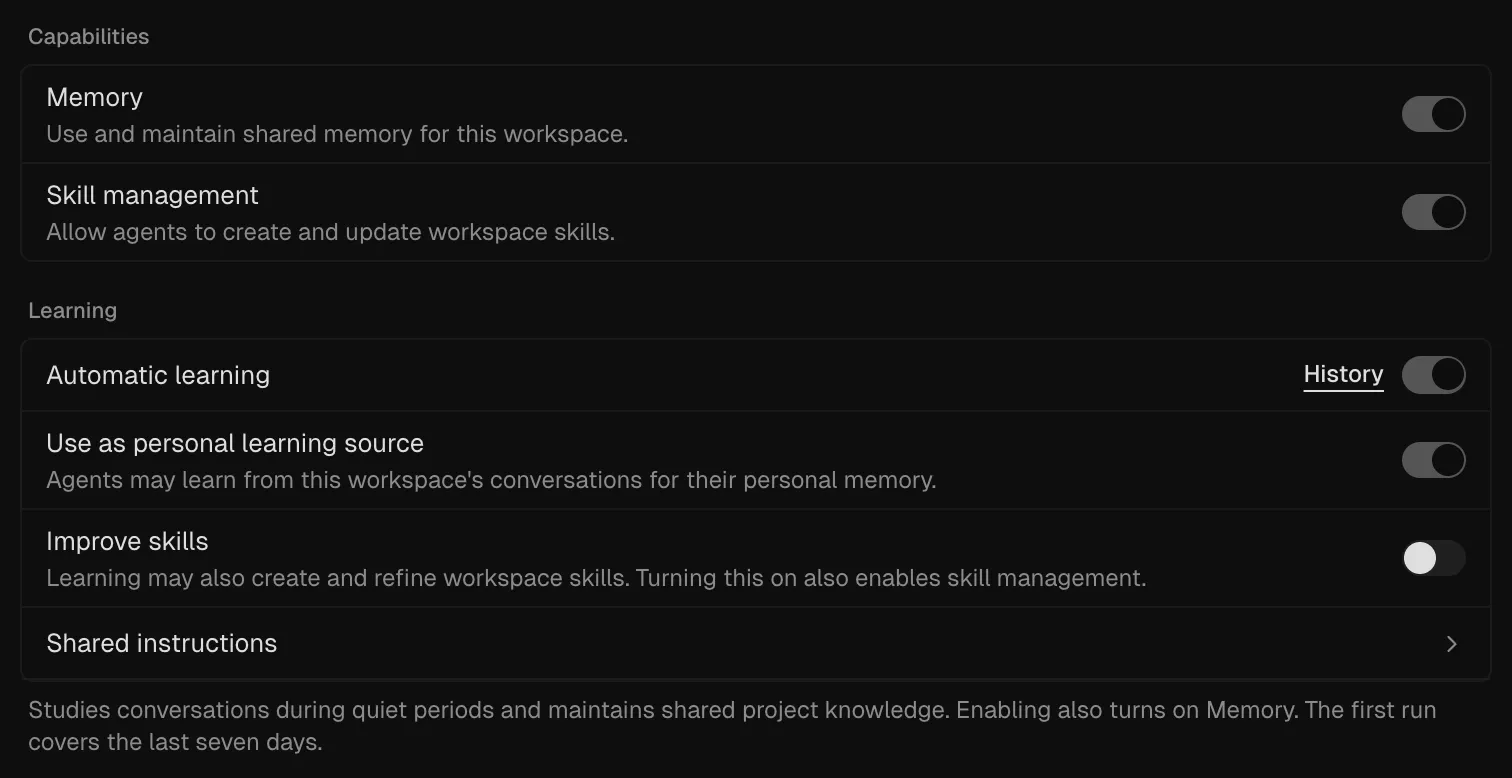
Agents review their finished conversations from any runtime during quiet periods and update their memory. Turn on workspace learning to keep shared project memory current too.
Saved knowledge is yours to read, edit, version, or delete.
Explore memory and skills →your agent
Keep the agent you already use.
Pick the runtime per session from one model picker, and switch mid-conversation when one runs out of usage. All three get the same agents, memory, session search, approvals, and workspace around them.
Claude Code
Your installed claude CLI on its own login. Its tools and subagents run through Prokop’s permission checks, with native goals, compaction, fork, Edit, and Undo.
Codex CLI
Your installed codex CLI on its own login. Its approvals come to Prokop, its subagents are saved as linked timelines, and native goals keep their token budget.
Prokop runtime
Prokop’s own agent runtime on your provider: OpenRouter, DeepSeek, MiniMax, Z.AI (Coding Plan), or Codex (ChatGPT) sign-in.
The Usage tab, next to Sessions in the left dock, shows your Claude and Codex plan limits and reset times, so you know when to switch. Move it to any dock; it keeps updating while it's on screen.
the workspace
Run the work, not the windows.
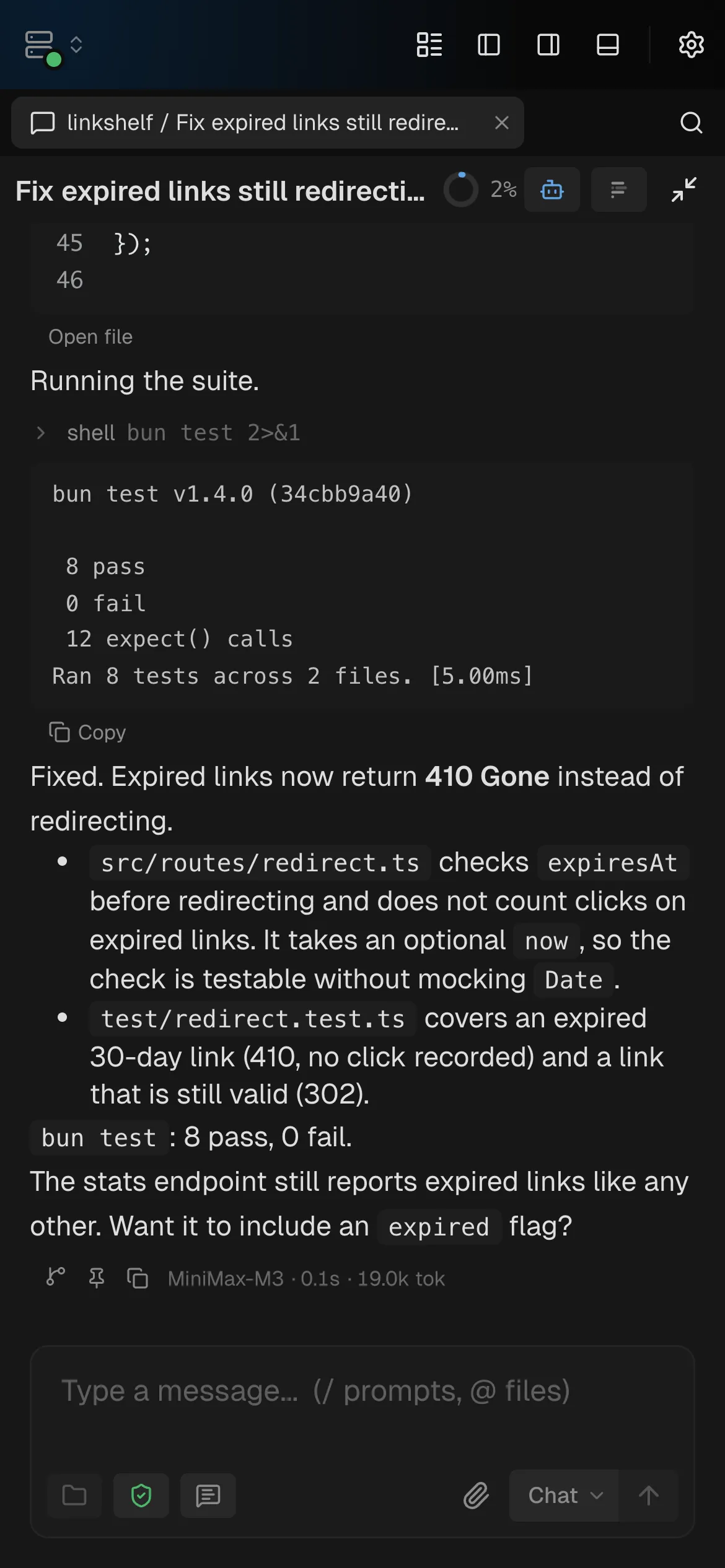
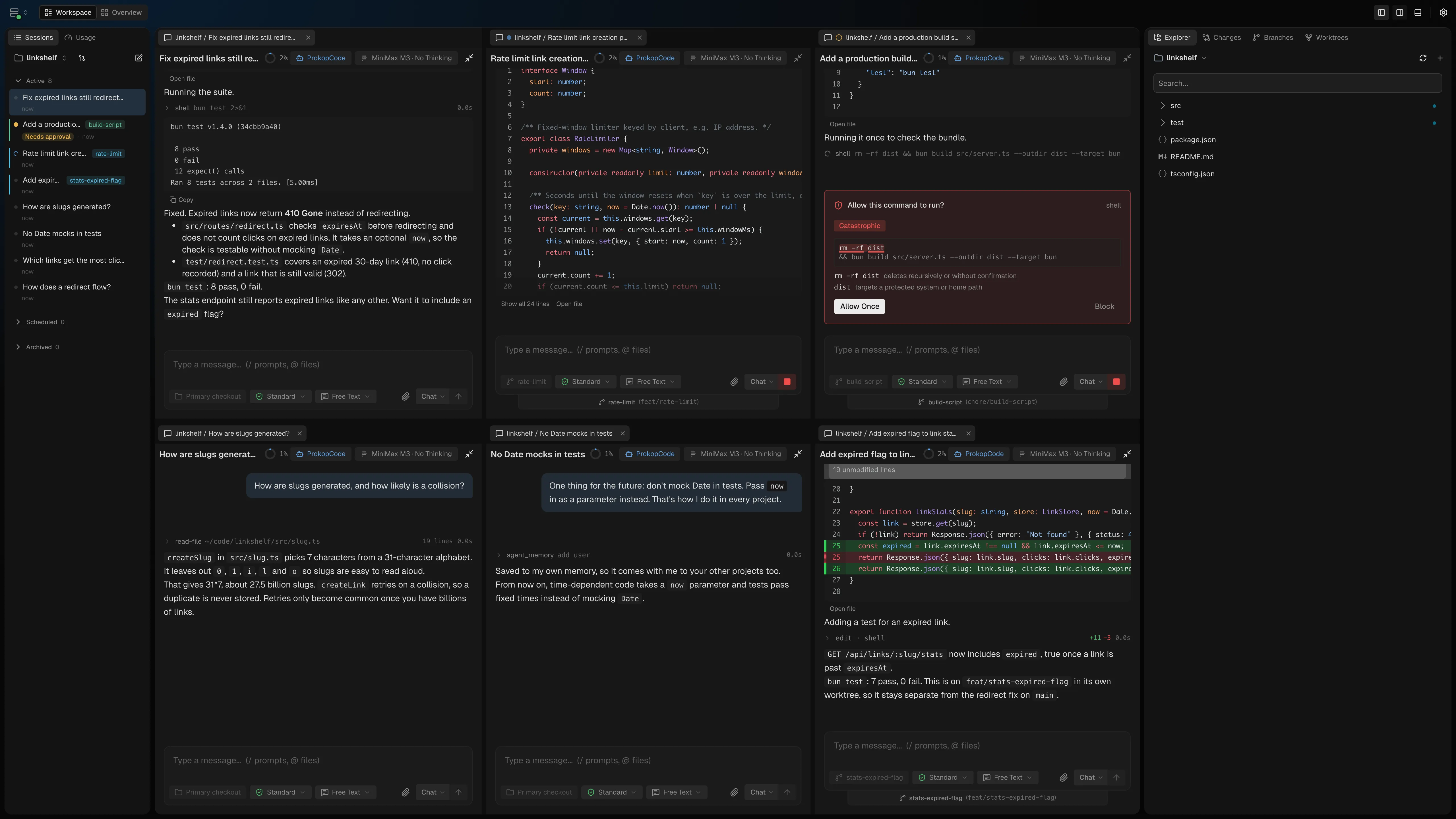
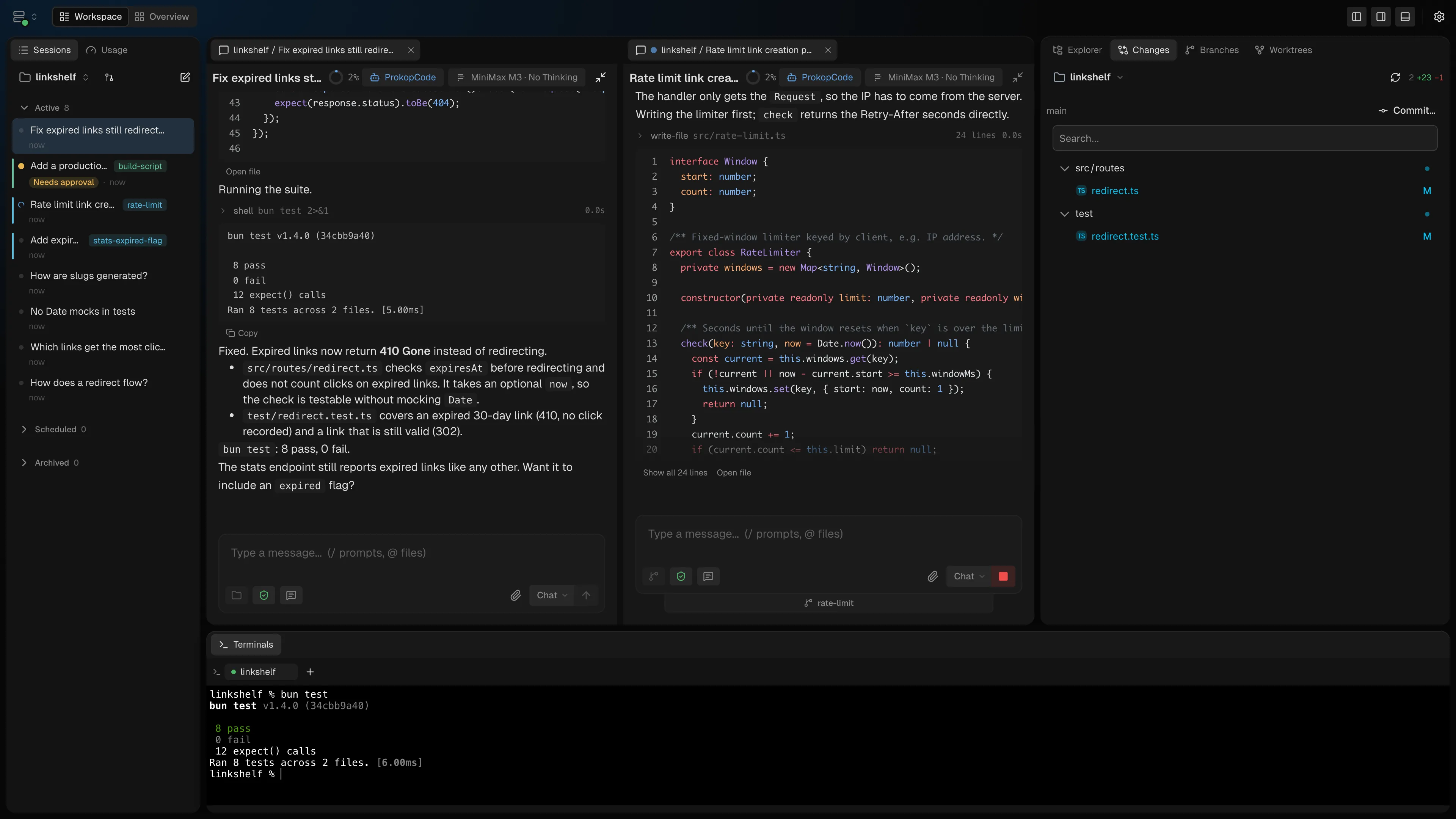
Sessions, worktrees, files, Git, pull requests, and terminals in one focused interface. Open any number of sessions as tabs and split them side by side or stacked.
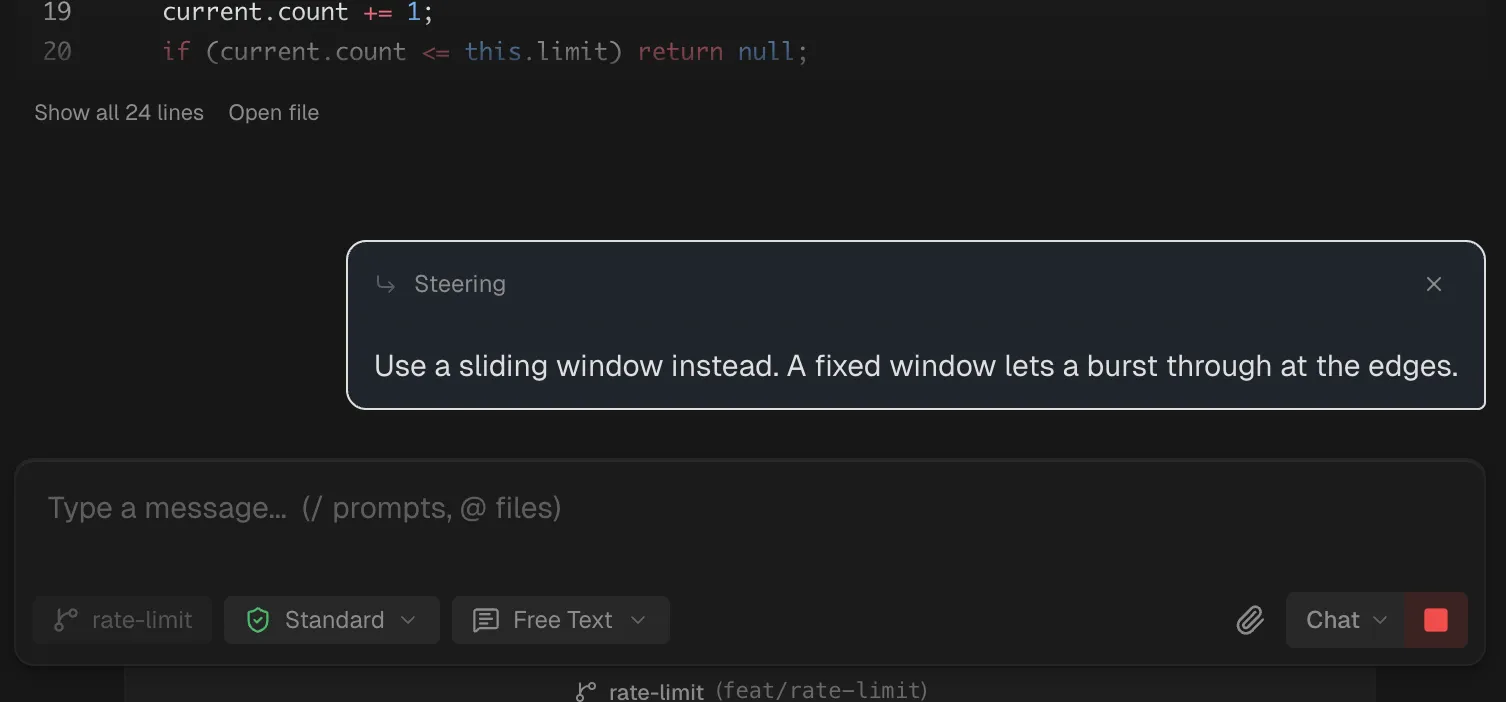
Steer while it works
Send a message mid-turn and the running agent picks it up after its current step. No waiting for the turn to end.
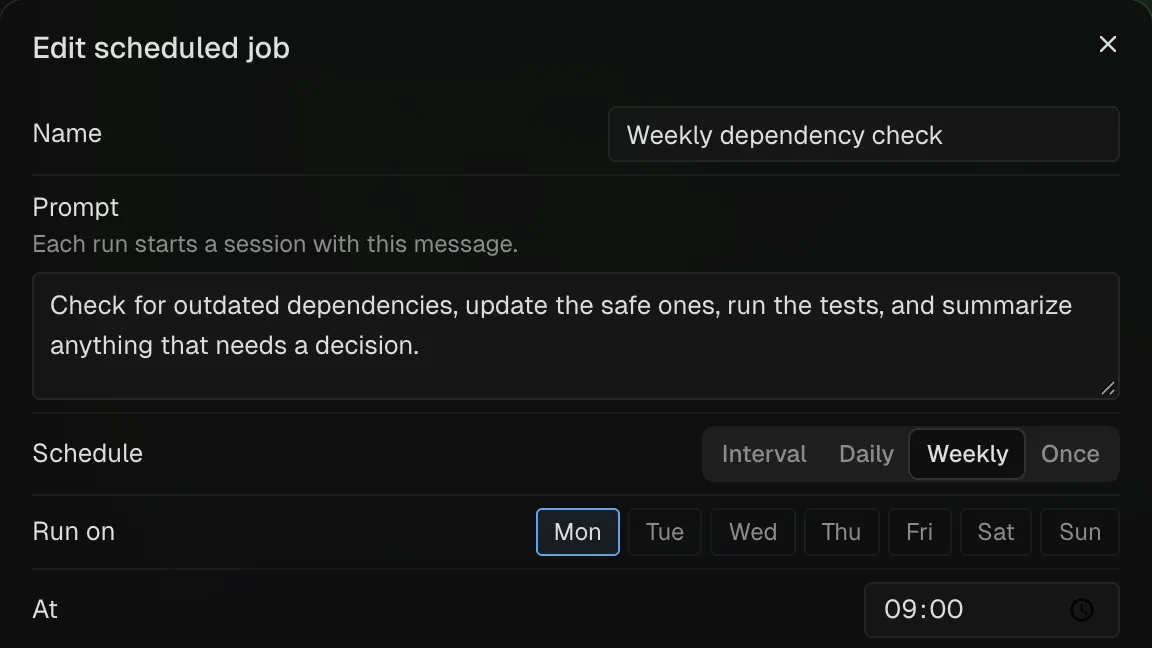
Scheduled runs
A prompt, a schedule, and an agent. Each run starts its own session.
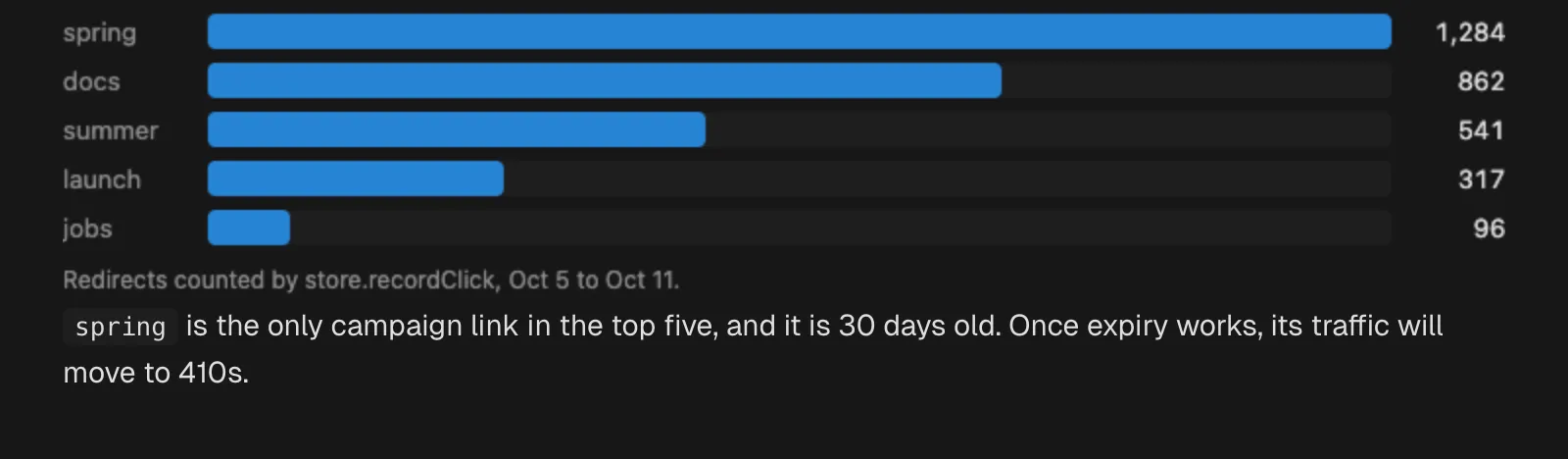
Charts and pages in replies
Agents can show a chart, table, or mockup as a sandboxed page that follows your theme.
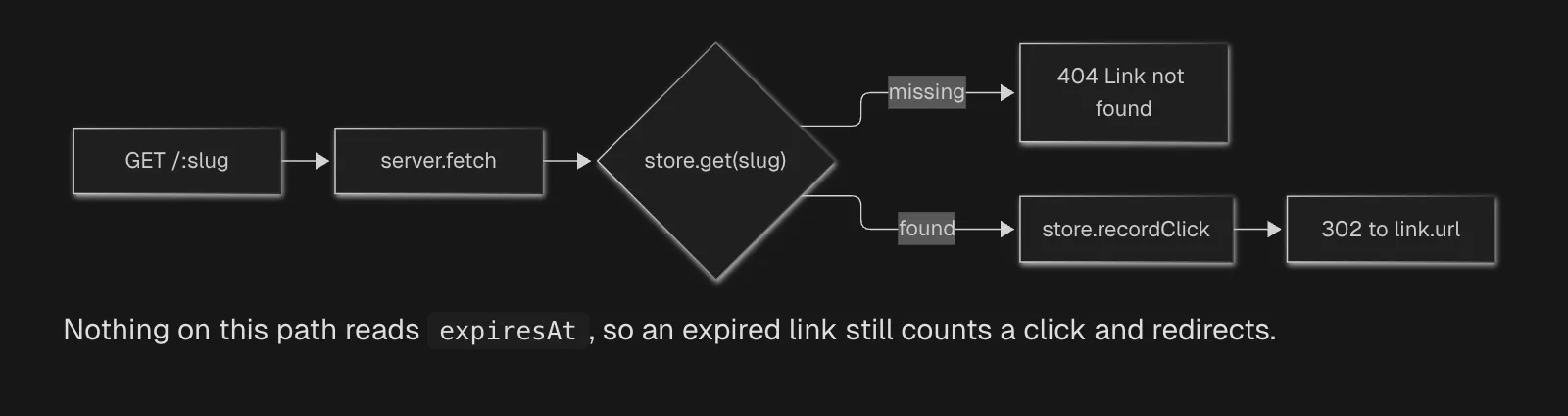
Diagrams and math
Mermaid blocks draw as diagrams, and math renders with KaTeX.
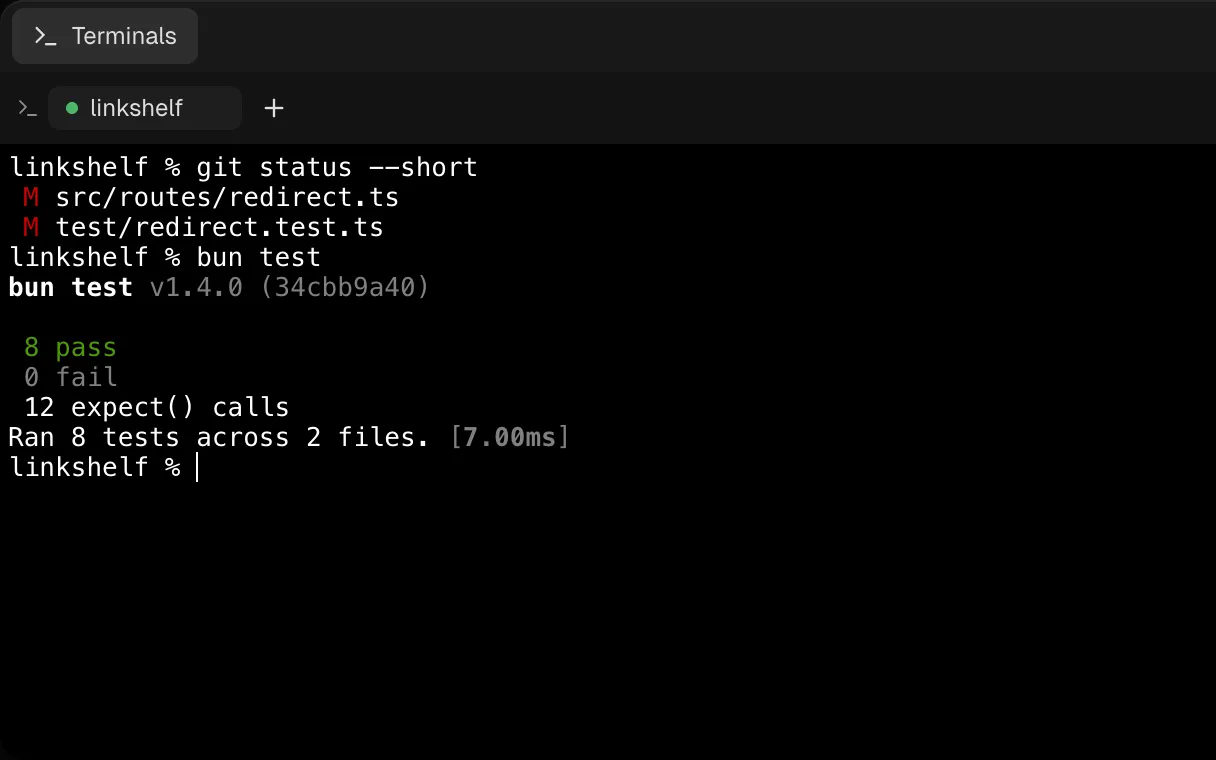
Persistent terminals
Terminals for long tasks. Keep talking to the agent while commands run.
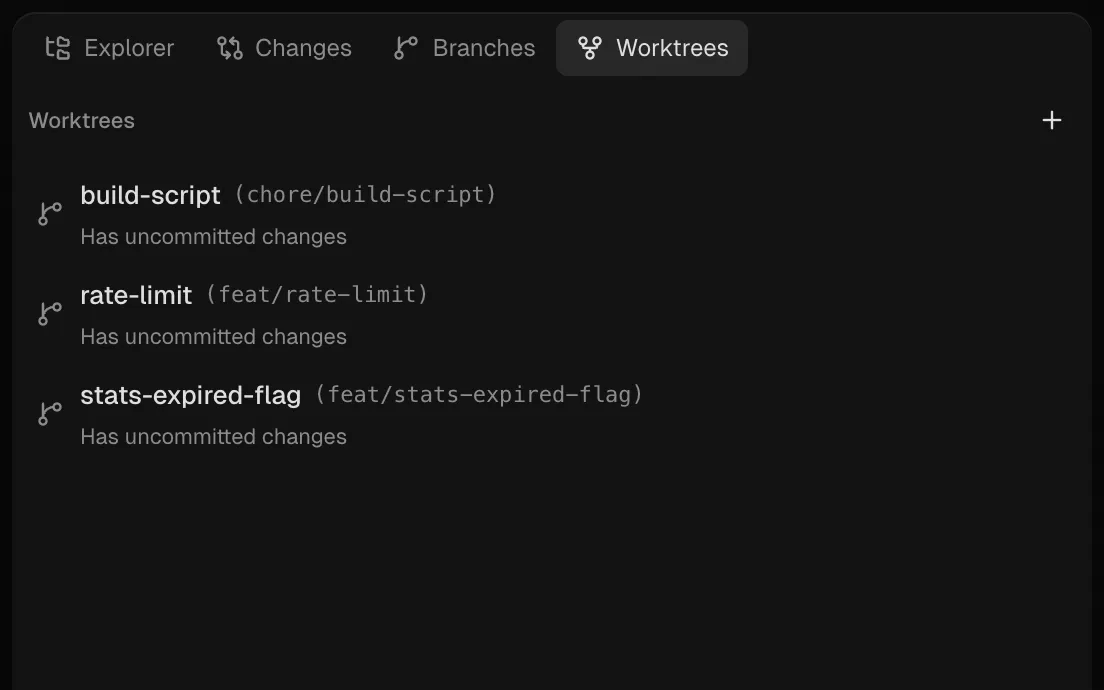
A worktree per session
Give a session its own checkout, so parallel changes stay apart.
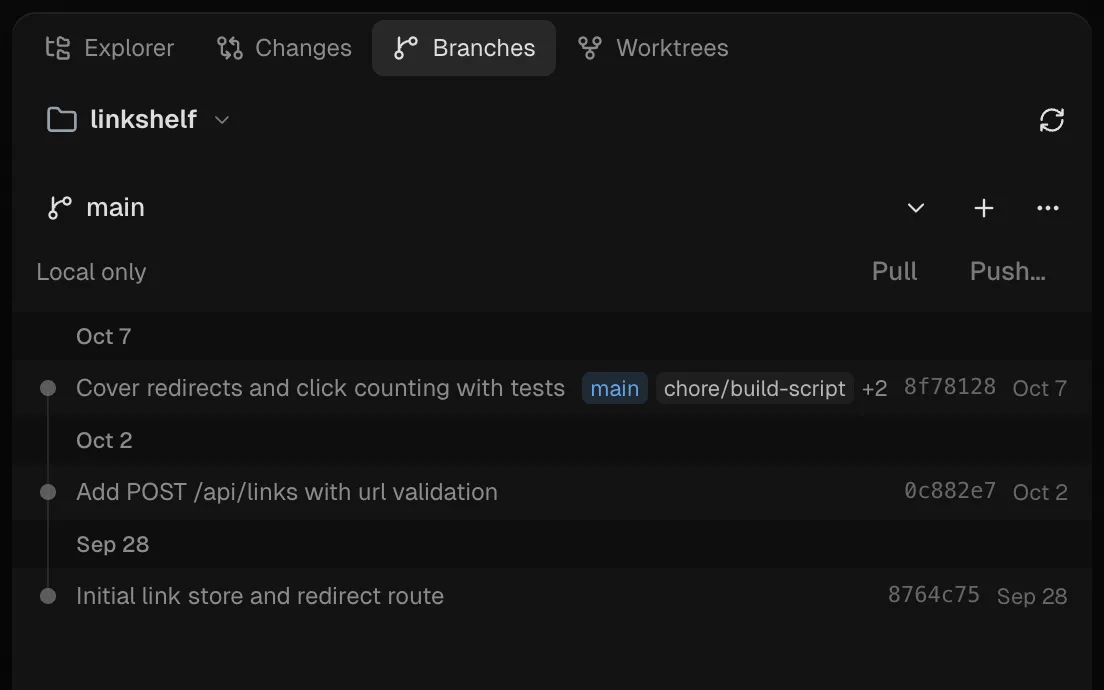
Branches and history
Browse commits, create and switch branches, pull, push, and rebase.
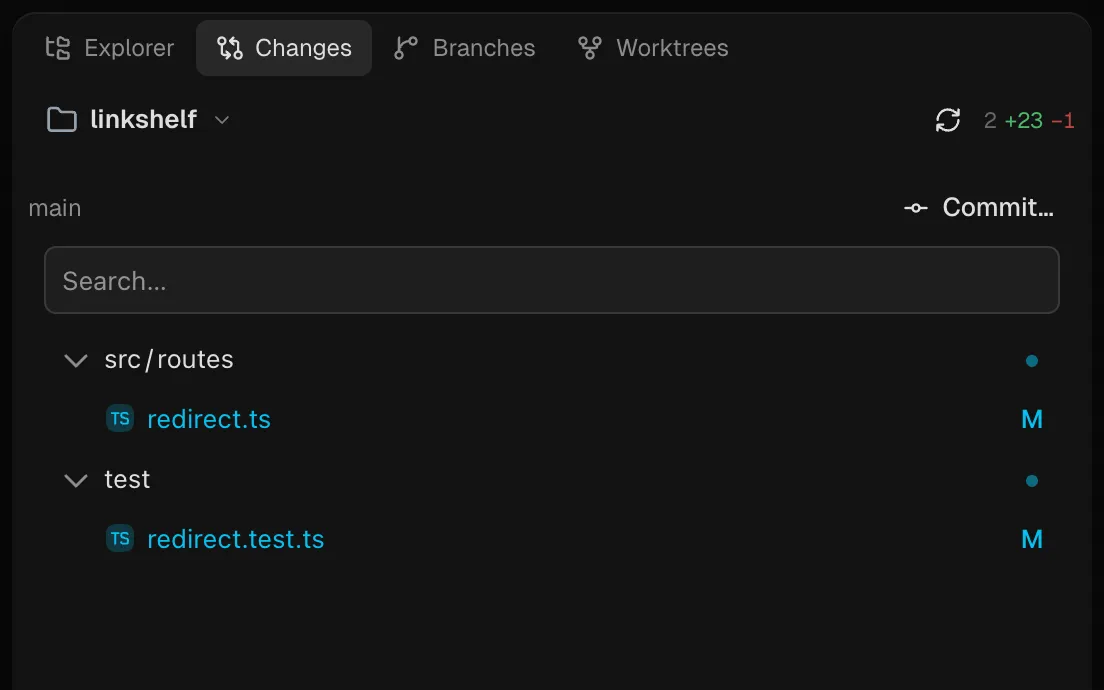
Review and commit
See what the agent changed, file by file, and commit what you keep.
also in the box
- Pull requests. Browse, create, review, comment on, and merge GitHub and Azure DevOps pull requests.
- Worktrees that set themselves up. A file in the repository says what to copy, which ports to reserve, and what to run when a worktree is created.
- Open a workspace together with others. One button next to the switcher lands you in an Overview of those repositories with your tabs kept.
- Move files in the Explorer. Drag an entry onto a folder, or pick "Move to…" and type the destination.
- @ files and terminal output. Add a file as a chip with @, or select terminal output and add it to the chat.
- Every machine in one list. See the workspaces of every paired machine and open their sessions side by side.
- Jump to earlier prompts. Preview the prompts in a long session and jump straight to one.
- Documents as Markdown. PDFs, Office and LibreOffice files, and ZIP archives are read as Markdown, so a model without document input still works with them.
several agents
One job, several agents.
Put up to ten of your agents in a group chat and say who should answer. One hands a stage to the next. An agent can ask another agent a question, or hand a task to a role on Claude Code, Codex, or Prokop, including sessions that start in their own worktrees.
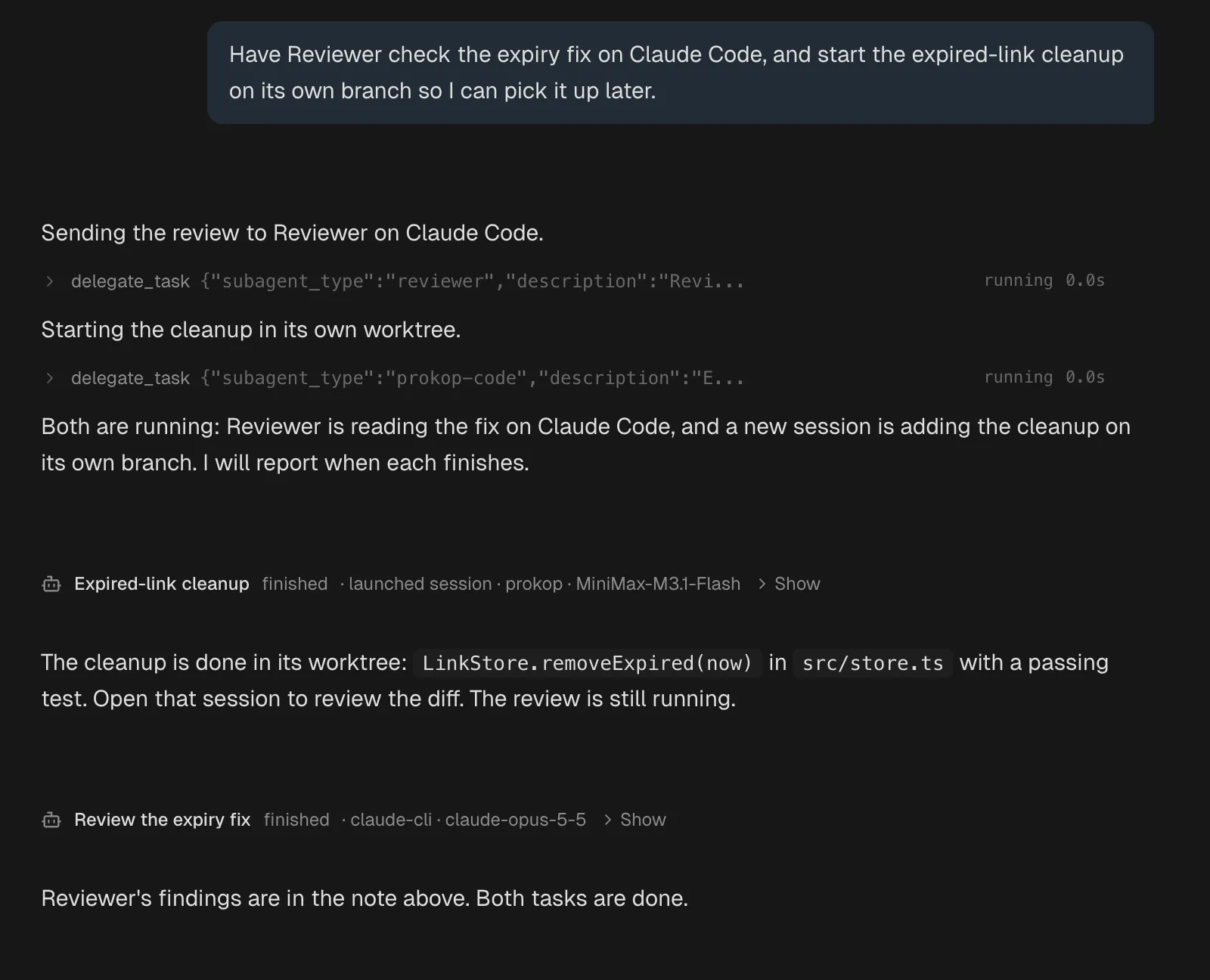
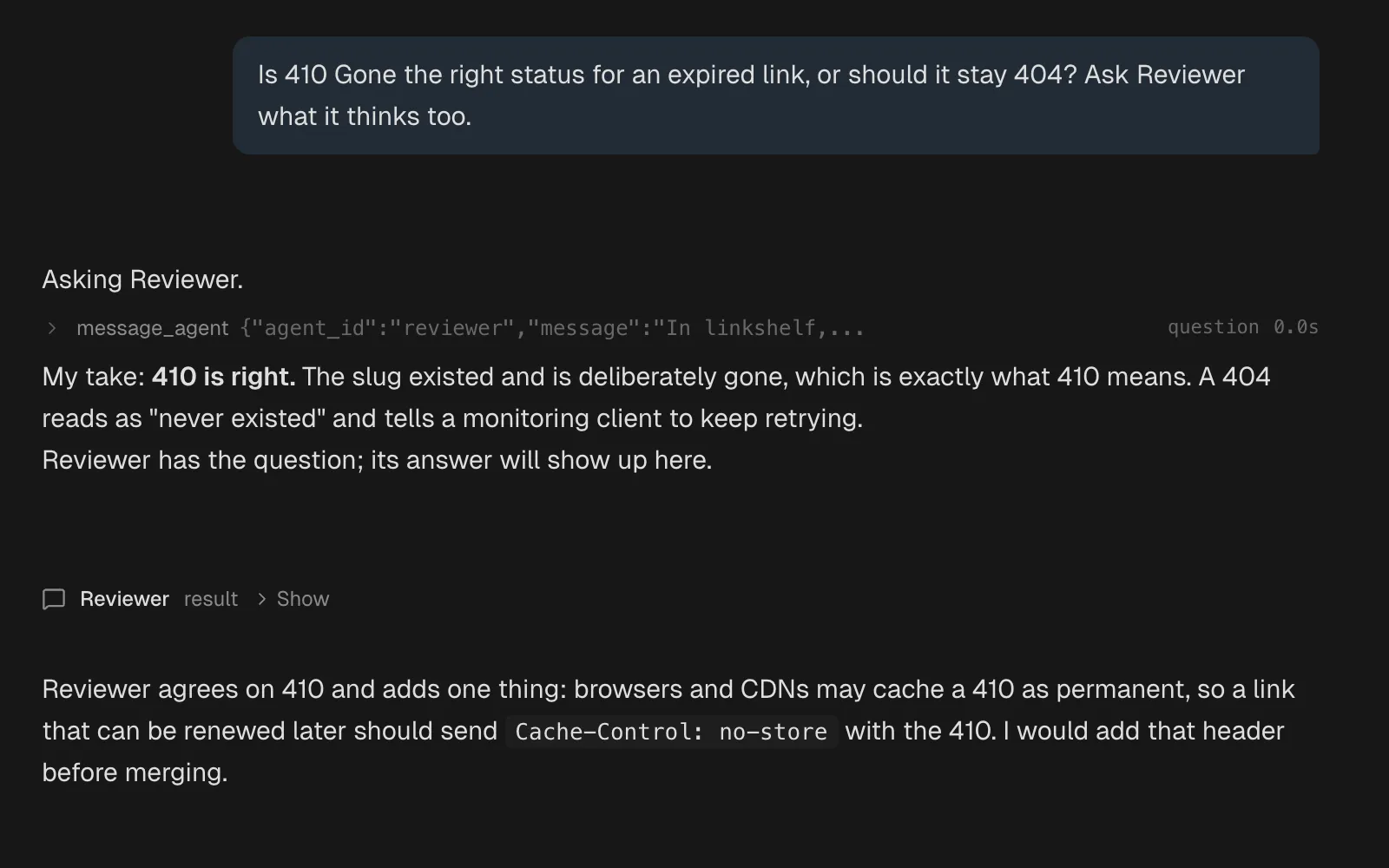
Members, routing, handoffs, delegation targets, and messaging permissions are in the docs.
Groups and delegation →your setup
Start simple. Add what you need.
One project and one agent is a valid setup. Add memory, skills, or parallel sessions when they're useful to your work.
01 / one task
One project. One agent. One task.
Read, edit, search files, and run commands. You don't need memory, skills, or a multi-agent setup to get useful work done.
02 / persistent context
The agent starts to know you.
Turn on memory, skills, and learning, and the agent keeps what it learns about you and the project.
03 / everything on
Push it as far as you want.
Agents with their own home, memory, and skills. Several projects under one Overview, any number of sessions running, each in its own worktree if you like.
on your phone
Not a Telegram bot. Your actual workspace.
The client is a mobile-optimized PWA served by Prokop itself. Same sessions, same agents, same history, same permissions. Mobile reorganizes the interface into one surface at a time. It does not reduce the product to a chat bridge.
- The same agents and their memory, from anywhere
- Approve commands from your phone, with the risky part highlighted
- Local only until you turn on remote access, then pair a phone with a four-digit code
- A terminal with ^C, Esc, Tab, and arrow keys above the keyboard
- Push notifications when long runs finish
Prokop ships the PWA and device pairing. The network is yours, such as Tailscale.Set up your phone →
in control
Familiar does not mean opaque.
Every tool call is visible and edits land as diffs. When a command needs your approval, Prokop highlights the exact part to review and says why, so you approve what you read instead of a wall of shell.
rm -rf dist is highlighted, with the reason beside it. After Allow Once, the real build runs.Three modes
Standard, Extended, or Full, per session or workspace. Asks come only with a concrete concern: a path outside the workspace, secrets, or something destructive.
A floor you cannot lower
Commands that could wipe the system, such as rm -rf /*, ask in every mode, on every runtime.
Same rules everywhere
Claude Code, Codex, and Prokop sessions go through the same permission rules, and grants stay revocable.
yours
The working relationship stays yours.
The full stack is open source, Apache 2.0. Server and client. It runs as a daemon on your machine, independent of the browser or terminal, and listens only there until you share it. No account, no telemetry, no cloud gate between you and your workspace.
Open all the way through
Not open-core. The server, the client, the tools, the scheduler. Apache 2.0.
Files, not a database mystery
Memory, skills, and prompts are plain files on your disk. Version them, share them, delete them.
Bring your own agent and provider
Use Claude Code or Codex on their own logins, or connect a supported provider to the built-in runtime. Nothing routes through us.
Extensible by design
MCP tools over stdio or OAuth, and the Prokop Browser extension to read and drive your Chrome tabs. They appear alongside the built-in tools.
model availability depends on the integration and prokop's supported configuration
changelog
Recently shipped.
- A member's reply reads before the handoff it madeA group member's reply sits where its turn began, ahead of the handoff it made, so the thread reads in the order things happened.
- Group chat with your agents, agents that message each other, and worktrees that set themselves upA group is one shared chat between you and up to ten of your agents, each answering from its own session on its own runtime.
- MiniMax M3.1 Flash, an arrangeable Usage panel, and background commands that finishMiniMax M3.1 Flash is in the model picker with a 1M token window and image input.
- A new look, surfaces and accents, and settings as a tabPanels float on a shaded field, with denser text and one corner shape per kind of thing.
questions
Straight answers.
Where does my data live, and is there telemetry?
On your machine. The server keeps its data and SQLite database under ~/.prokopai, and each project keeps its memory and skills as plain files inside the project directory. No telemetry, no analytics, no account. Network traffic is what you set up: the model providers or CLIs you use and the MCP tools you install. Nothing is uploaded to us. There is no us.
Which systems does it run on?
Release binaries are built for macOS on Apple Silicon, Linux x64, and Windows x64. The client runs in your browser or as a PWA on your phone.
Which model providers can I use?
Run Claude Code or Codex CLI on their own logins, or Prokop's built-in runtime with OpenRouter, DeepSeek, MiniMax, Z.AI (Coding Plan), or a Codex (ChatGPT) sign-in. Anthropic and Google models are also reachable through OpenRouter. The built-in runtime has no direct Anthropic or Google integration.
How is Prokop different from a CLI coding agent?
It is not a different agent. It is the workspace around one. Keep Claude Code or Codex on your existing login, or use the built-in runtime, and trade the terminal farm for a board of live sessions, worktrees, files and diffs, memory, session search, approvals, and the same interface on your phone.
What does Prokop cost?
Nothing. The full stack, server and client, is Apache 2.0. You pay your model provider, or the plan behind your Claude Code or Codex login, for whatever you use. No seats, no tiers, no feature gates.
Can I actually work from my phone?
Yes. The client is a mobile-optimized PWA served by your daemon: the same sessions, agents, history, and permission approvals, reorganized for one surface at a time. It listens only on your machine until you turn on remote access and pair your phone, over a network you control such as Tailscale. Prokop ships the workspace, not the network.
Who builds and maintains Prokop?
One developer, Daniel Bilek. It is an active, evolving project rather than a hardened enterprise product, and the code is Apache 2.0, so it stays yours no matter what.
install
Bring your next project into Prokop.
One command, then prokop init. The daemon starts, the client opens, you pick a model and start working. Add projects, worktrees, and agents when you need them.